This library is a custom activity for UiPath.
When using UiPath, I often want to call methods of .NET, such as getting the name of the current directory, base64 encode the file,These activities are the activities that call those methods. It provides the following functions.
- Combine: Combines an array of strings into a path.
- Current Dir: Gets the current working directory.
- Path Utils: Returns the absolute path for the specified path string ,checks the existence of the file ,etc.
- Base64 Encode: Base64 Encode.
- Base64 Decode: Base64 Decode.
- Base64 Encode From File: Base64 Encode from File
- ConvertCRLF: Convert the line feed code of the given text.
- ToJSONString: An activity that converts arbitrary objects to JSON strings.
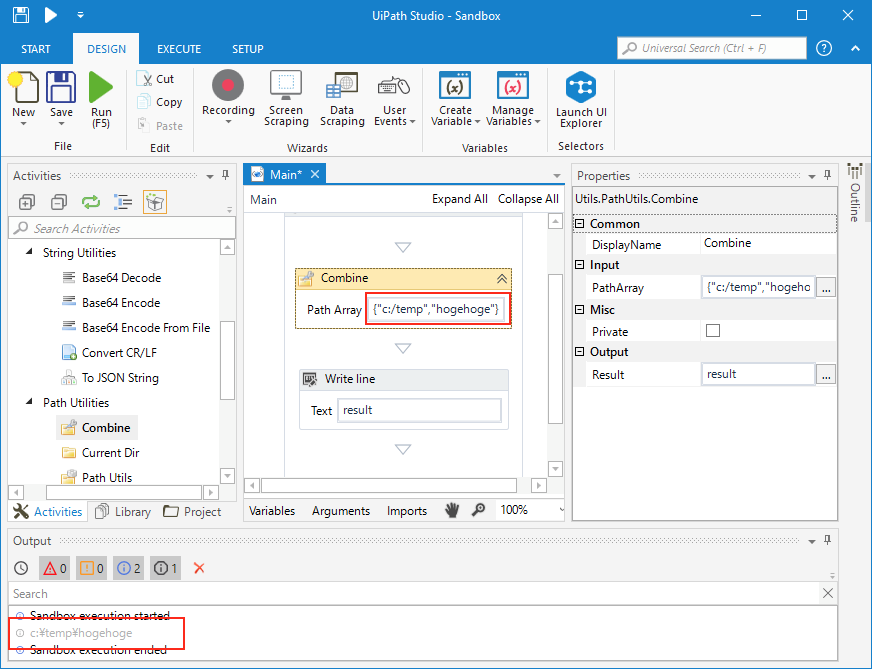
Combines an array of strings into a path. That is as follows:
{"c:\temp","hogehoge"} → c:\temp\hogehoge
{"temp","hogehoge"} → temp\hogehoge
{"te/mp","hoge\hoge"} → te\mp\hoge\hoge
calls System.IO.Path.Combine method . And calls String.Replace("/", "\\") method to use '/' .
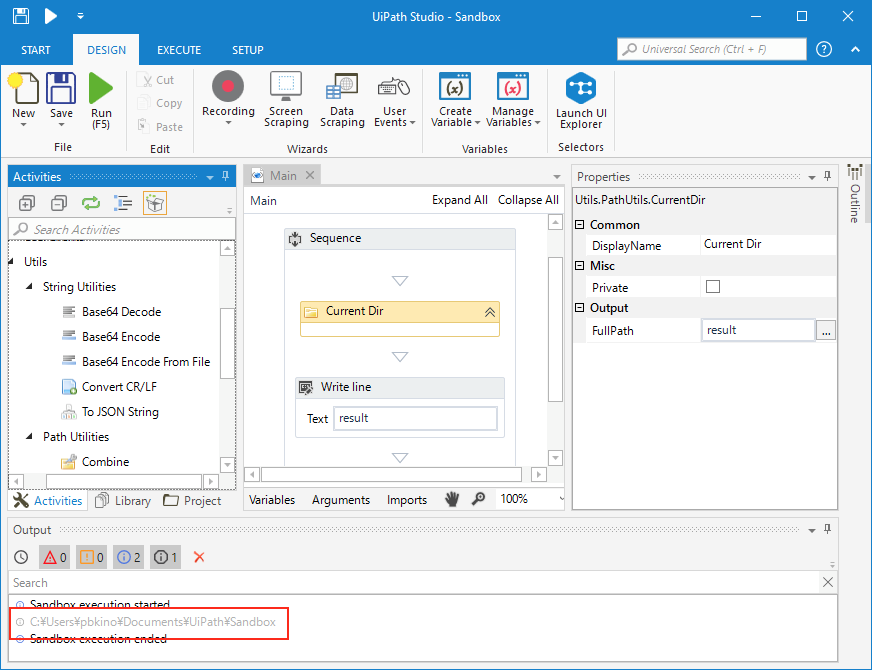
Gets the current working directory. only calls Directory.GetCurrentDirectory method.
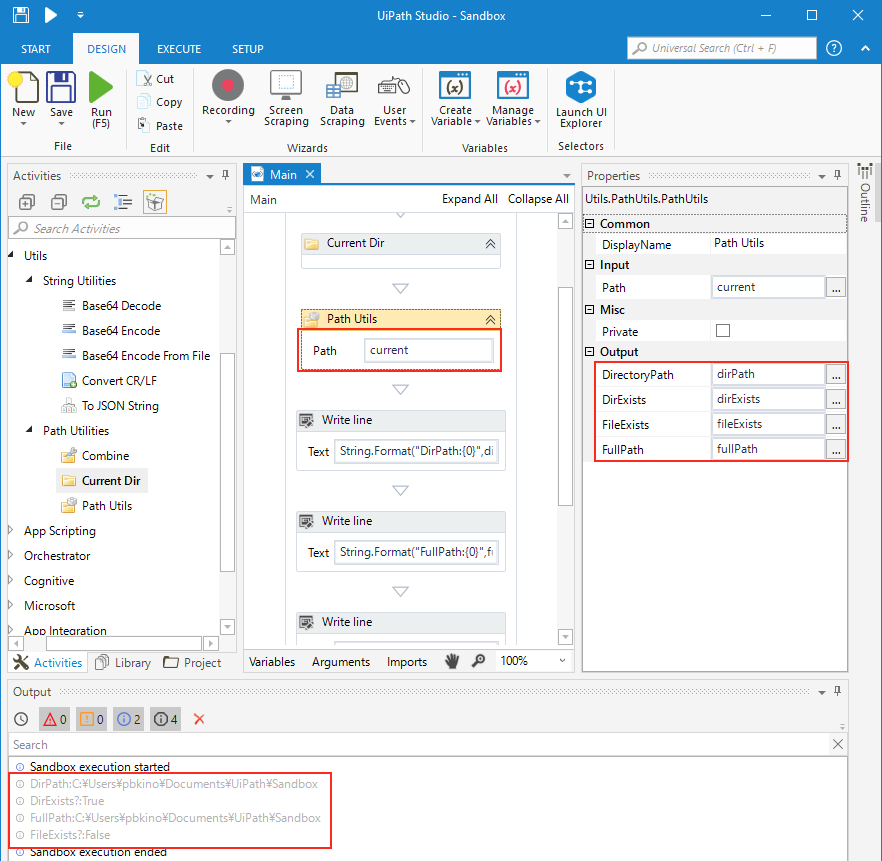
Specify relative/absolute path and get the following:
| Properties | Description |
|---|---|
| DirectoryPath | Basically it returns the same as Path.GetDirectoryName() ※. |
| DirExists | returns true if the specified Directory exists (returns false even if it exists if it is a File). |
| FileExists | returns true if the specified File exists (returns false even if it exists if it is a Directory). |
| FullPath | returns full Path. |
※ Basically it returns the same as Path.GetDirectoryName(). If an existing directory is specified, even if there is no "\" at the end, the directory path is returned.
For examples:
Path: c:/temp/existsDir/
→
FullPath: c:\temp\existsDir\
DirectoryPath: c:\temp\existsDir


Path: c:/temp/existsDir
→
FullPath: c:\temp\existsDir
DirectoryPath: c:\temp\existsDir   ← The .NET method returns c:\temp


Path: c:/temp/notExistsDir/
→
FullPath: c:\temp\notExistsDir\
DirectoryPath: c:\temp\notExistsDir


Path: c:/temp/notExistsDir
→
FullPath: c:\temp\notExistsDir
DirectoryPath: c:\temp


Path: c:/temp/existsOrNotExistsFile.txt
→
FullPath: c:\temp\existsOrNotExistsFile.txt
DirectoryPath: c:\temp
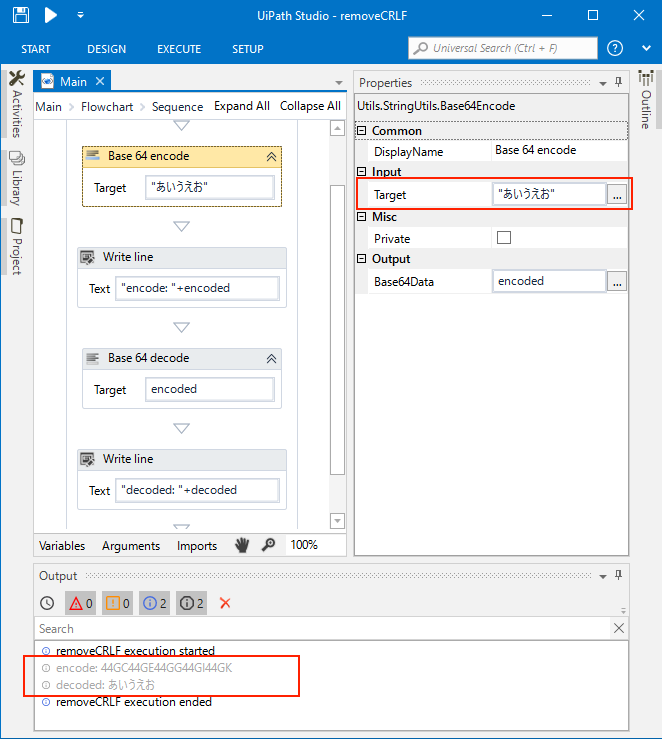
Converts a String to its equivalent string representation that is encoded with base-64 digits. That is as follows:
var result = Convert.ToBase64String(Encoding.GetEncoding("UTF-8").GetBytes(text));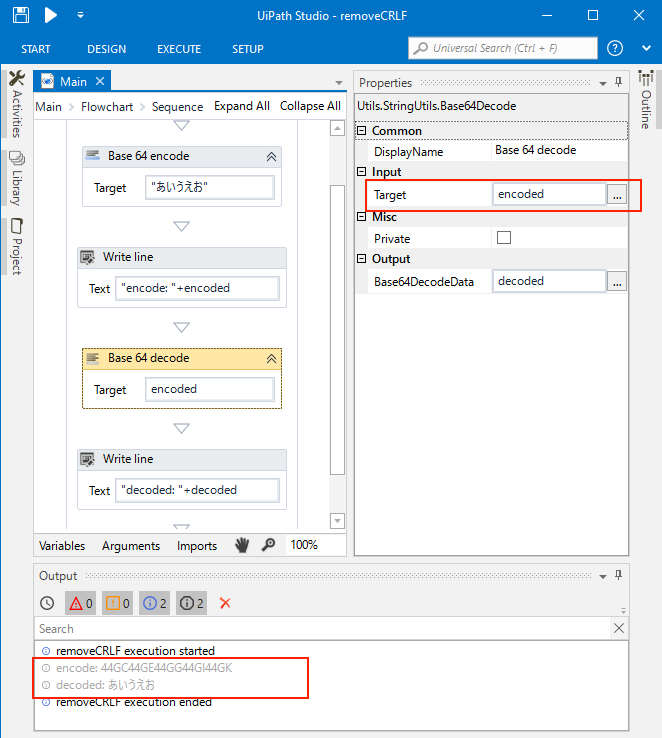
Converts the specified string, which encodes binary data as base-64 digits. That is as follows:
var resut = Encoding.GetEncoding("UTF-8").GetString(Convert.FromBase64String(text));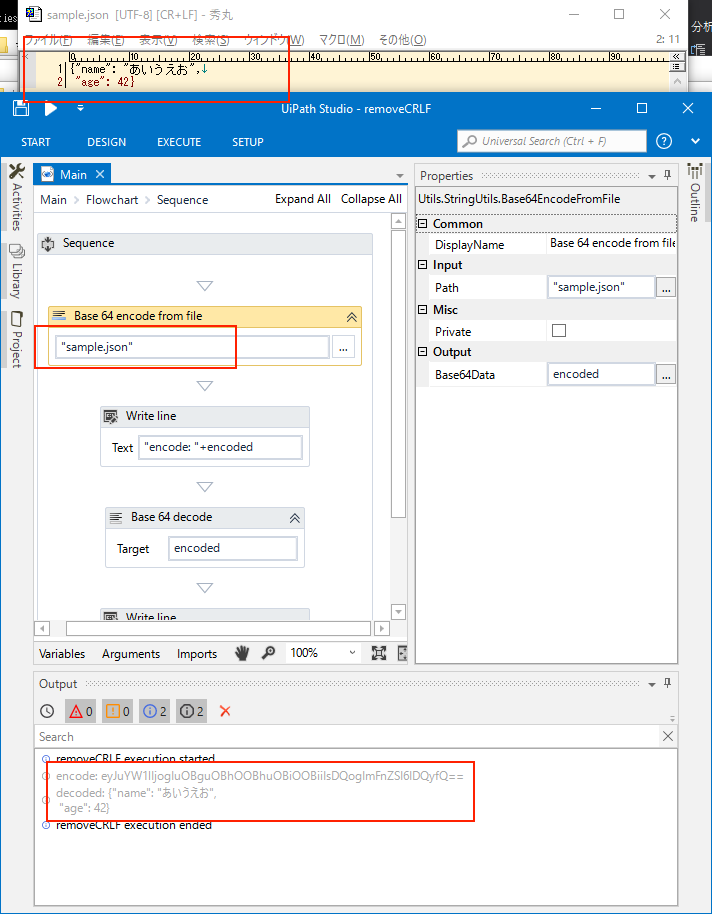
Converts the String From a file to its equivalent string representation that is encoded with base-64 digits. That is as follows:
var path = context.GetValue(this.Path);
var bytes = ReadFile(path);
var result = Convert.ToBase64String(bytes);

public byte[] ReadFile(string filePath)
{
    using (var fs = new FileStream(filePath, FileMode.Open, FileAccess.Read))
    {
        var buffer = new byte[fs.Length];
        fs.Read(buffer, 0, buffer.Length);
        return buffer;
    }
}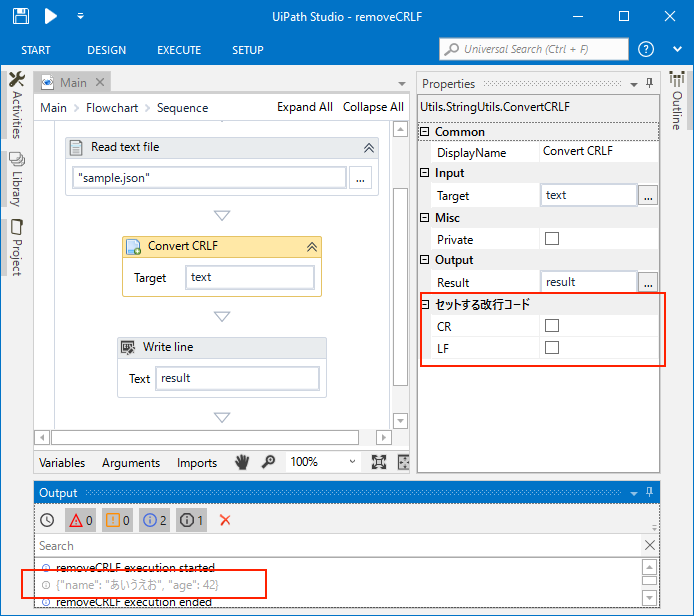
Convert the line feed code of the given text. Regardless of whether the line feed code of data is LR / LF / CR + LF,It outputs with a line feed code with a check in "Set line feed code". It first converts to CR / CR + LF → LF, and then converts LF to the specified line feed code. That is as follows:
 // It first converts to CR / CR + LF → LF
 trimData = trimData.Replace("\r\n", "\n");
 trimData = trimData.Replace("\r", "\n");

 if (CR) {
     trimData = trimData.Replace("\n", "\r\n");
 } else {
     // do nothing
 }

 if (LF) {
     // do nothing
 } else {
     trimData = trimData.Replace("\n", "");
}An activity that converts arbitrary objects to JSON strings.
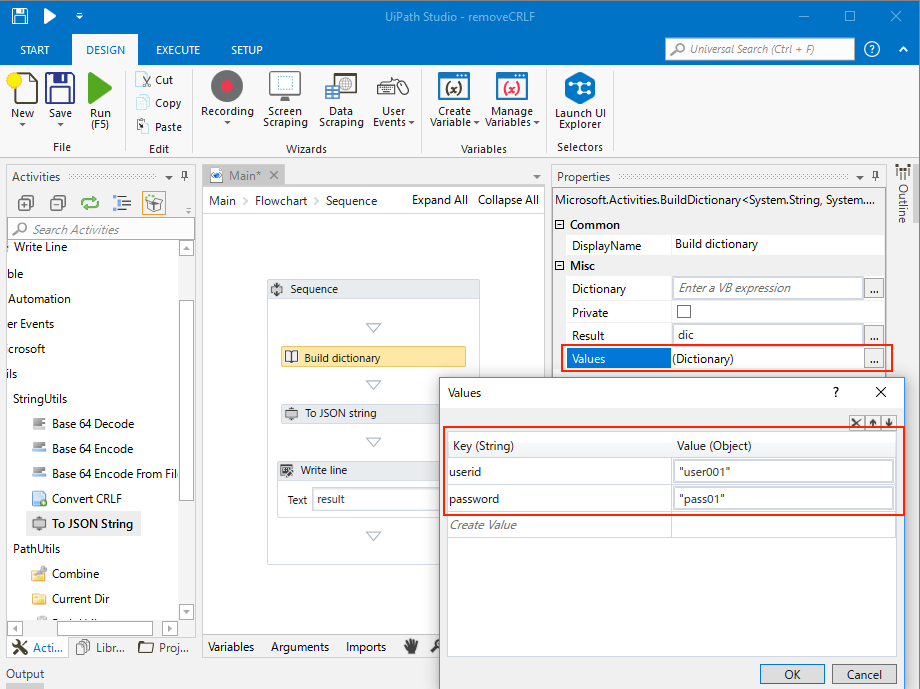
For example,when you generate and pass the Dictionary object, the Key / Value is output as a JSON string.
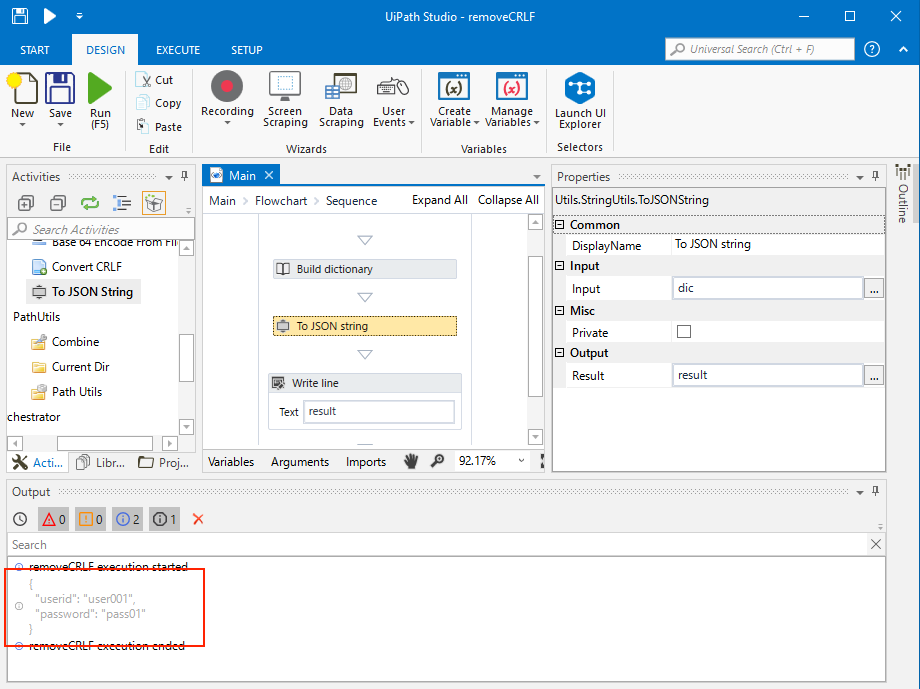
That is as follows:
String jsonStr = Newtonsoft.Json.JsonConvert.SerializeObject(obj, Formatting.Indented);