🐛 Bug - CodeAuditor reports false 404 broken links #984

Description

Requested by: @Aibono1225 via YakShaver.ai 🦬
cc: @Aibono1225, @brookjeynes-ssw, @adamcogan, @PothieuG @zacharykeeping
Hi Team!
🟥 Watch the video (1 min 19 sec)
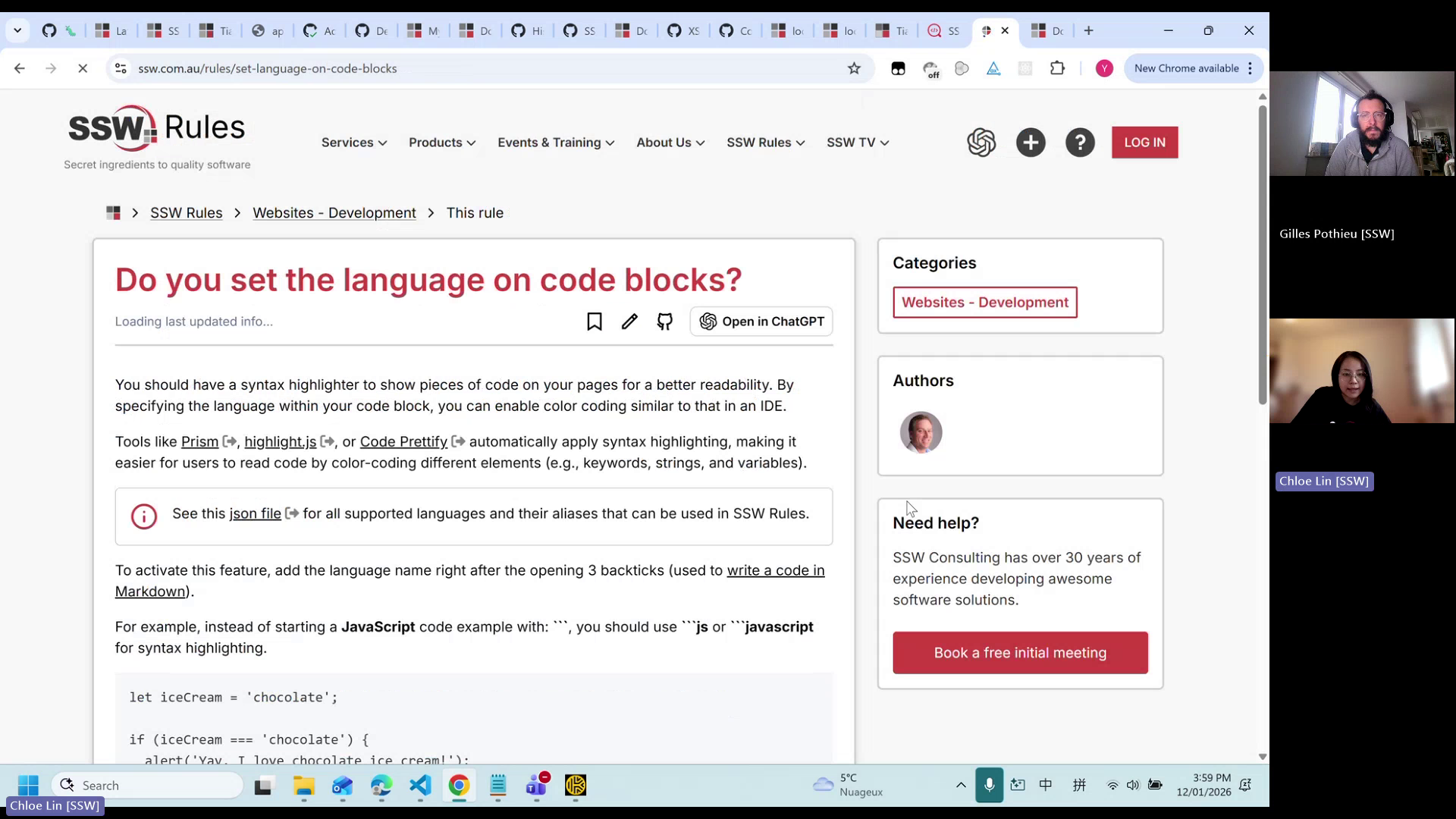
Url from screen share: https://ssw.com.au/rules/set-language-on-code-blocks
Report link: https://codeauditor.com/build/2cd71c4f-146e-4b75-0a6b-ac1f6bf2c752?displayMode=2
Pain
When running the CodeAuditor check against the SSW.Rules project, the generated audit report flags certain links as 404 (broken). However, manual verification shows that some of these links are still valid and accessible. In at least one case, the report references broken anchor text, but the actual hyperlink works correctly when clicked. The source of these reported broken links is unclear, making it difficult for users to understand or remediate the issue. This results in false positives and reduces trust in the accuracy of the CodeAuditor link-checking results.
Acceptance Criteria
- CodeAuditor correctly distinguishes between truly broken (404) links and valid, accessible links.
- Anchor links that resolve successfully are not reported as broken in the audit report.
- The audit report clearly identifies the exact source (file and line/element) of any detected broken link.
- False positive 404 link findings are eliminated or significantly reduced.
- Updated behavior is verified by rerunning the CodeAuditor check on the SSW Rules project with consistent results.
Reproduce Steps
- Run the CodeAuditor analysis on the SSW.Rules project.
- Review the generated audit report for 404 or broken link findings.
- Locate a reported broken link based on anchor text in the report.
- Manually navigate to the referenced page and click the reported link.
- Observe that the link resolves successfully despite being flagged as broken.
Screenshot
Figure: Reported broken link flagged as 404 is actually working